

Mastering Green Screen: Tips for Seamless Compositing
Written by: The Buddi Team
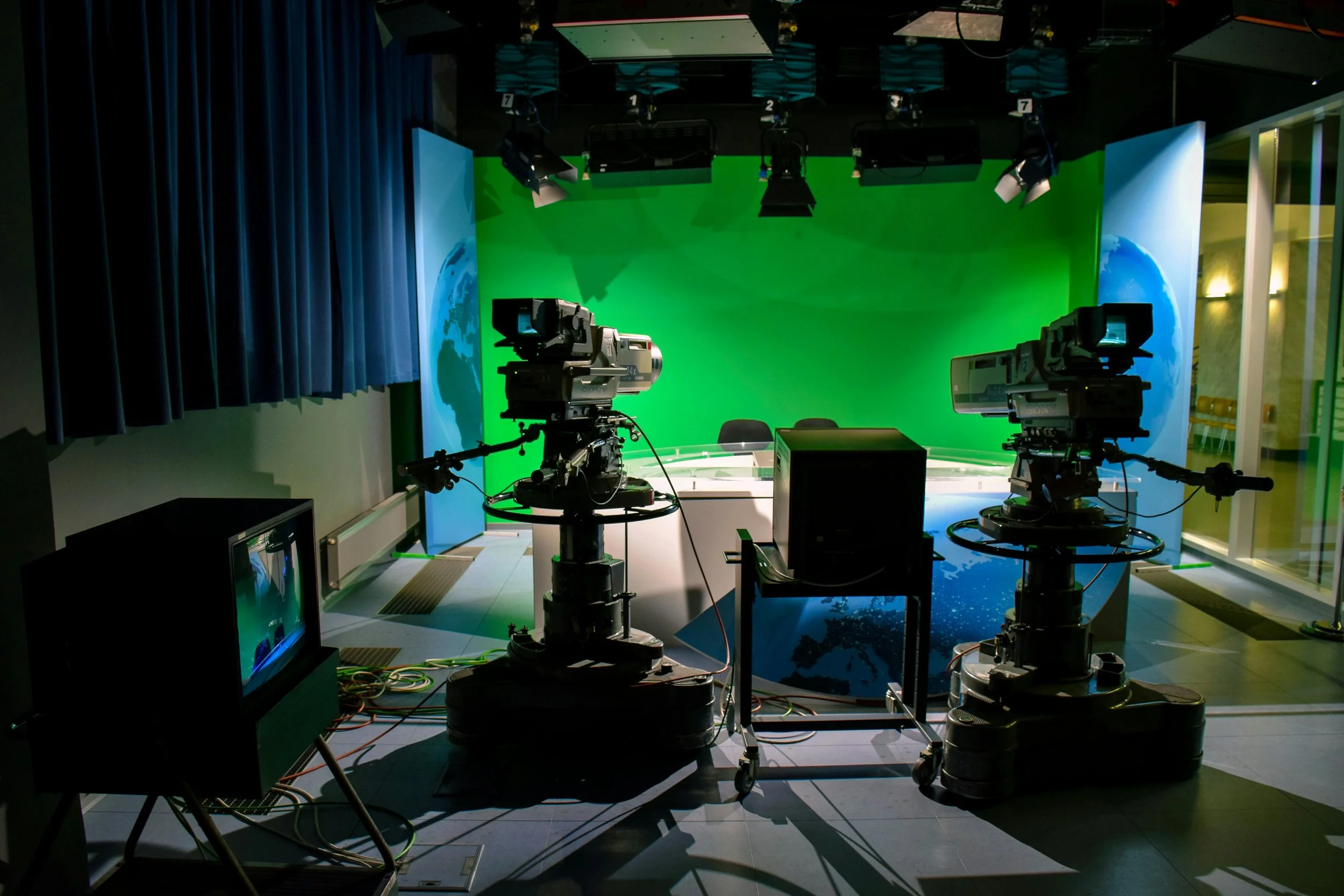
The "magic" of modern cinema often relies on the ability to transport characters to impossible worlds, from the enchanted castles of Beauty and the Beast to the sprawling kingdoms of Game of Thrones. This is achieved through Chroma Keying, or green screen compositing. While high-end studios make it look easy, achieving a professional, seamless composite requires more than just a green backdrop; it requires precision in lighting and technical setup.
Whether you are filming a superhero epic like The Matrix or creating content for your own brand, these tips will help you master the green screen.
1. Perfect Your Lighting
The most common mistake in green screen work is uneven lighting.
Light the Screen Separately: Use dedicated lights to illuminate the green backdrop, keeping it as flat and even as possible.
Eliminate Shadows: Ensure your subject is standing at least 6–10 feet away from the screen to prevent their shadow from falling onto the green surface, which makes "keying" difficult.
Match the Background: If your final background is a bright outdoor scene like a Game of Thrones landscape, your subject should be lit with bright, high-contrast light to match.
2. Lock Your Camera Settings
Just like in stop motion animation, manual control is your best friend.
Disable Auto-Focus: You don't want the camera "hunting" for focus against a flat green wall.
High Shutter Speed: To avoid "motion blur," which creates a messy green fringe around moving subjects, use a higher shutter speed.
Low ISO: Keep your ISO as low as possible to reduce "noise." Digital grain in the green areas can cause the background to "flicker" after the key is applied.
3. Wardrobe and Props
It may seem obvious, but the details matter.
Avoid Green: Your subject cannot wear anything green, or they will become transparent.
Watch the Reflective Surfaces: Shiny jewelry, glasses, or even highly reflective hair gel can "spill" green light onto the subject, making for a difficult composite.
The "Spill" Solution: Use a subtle "magenta" backlight (the opposite of green on the color wheel) to neutralize any green light reflecting off the screen onto your subject's shoulders and hair.
4. The Power of Post-Production
Once you have your footage, the real work begins in your editing software.
Garbage Mattes: Don't worry about the green screen covering the entire frame. Use a "garbage matte" to crop out the edges of your set that aren't green.
Color Grading: The final step to a seamless look is color grading both the subject and the new background together so they look like they inhabit the same environment.
Check out Buddisystems
Sign up for Buddisystems today and unlock a world of creative possibilities!